
Nutrition Tracker0.0.1 - Google Play
You'll be able to see results in few seconds.
Publisher Description
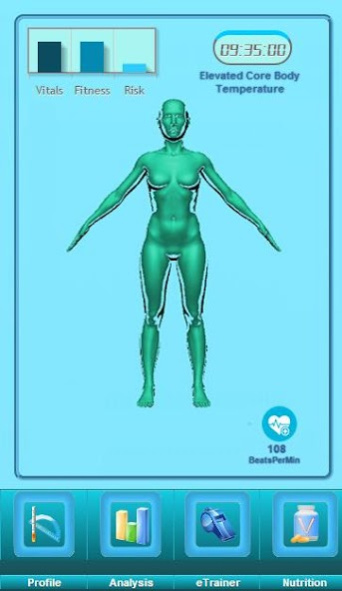
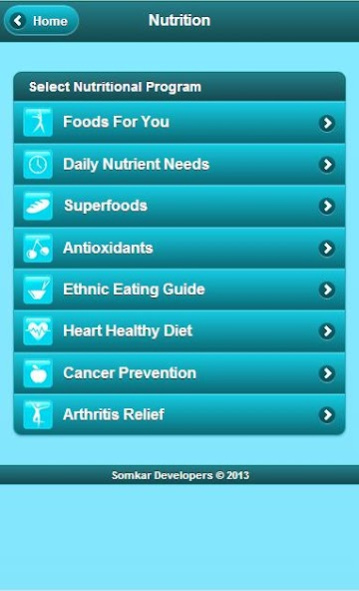
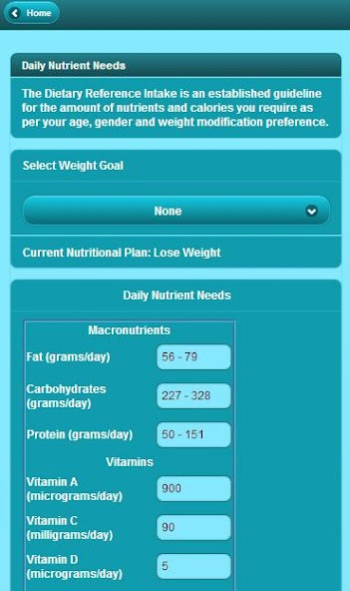

Nutrition Tracker turns your smartphone into a personal dietitian, selecting foods for you based on activity level, fitness, weight modification goal and even genotype! Nutrition Tracker works at the level of your DNA, allowing users to take their raw genetic data from 23andMe, AncestryDNA or Family Tree DNA and create personalized nutrition reports that will help you eat right for your genotype.
Whether it’s a heart healthy diet or losing a few extra pounds, Nutrition Tracker uses scientifically proven methods to assess your nutrient needs and develop a diet that’s right for you. It also features a dashboard for real-time heart rate tracking and circadian rhythm alerts.
Select from nutritional goals that include:
• Weight Loss
• Arthritis Relief
• Cancer Prevention
• Cardiovascular Health
• Antioxidants
• Superfoods
• Nutrient Needs (Vitamins, Minerals etc.)
• Glycemic Index
The genetic reports cover a wide variety of nutritional topics including:
• Carbohydrate Sensitivity
• Saturated Fat Sensitivity
• Antioxidants Sensitivity
• Omega 3 Sensitivity
• Vitamin B (MTHFR Methylation)
• Vitamin D Sensitivity
• Vitamin A Sensitivity
• Vitamin E Sensitivity
(Requires User to Have Been Genotyped by 23andMe, AncestryDNA or FTDNA)
Now with Nutrition Tracker, record your daily nutrition consumption to help you assess whether you're receiving recommended levels of vitamins, minerals and macro nutrients.
Circadian Rhythm Alerts allow you to coordinate daily activities with your personal biological clock. The circadian clock estimates your circadian rhythm from information provided in your profile and displays corresponding changes in hormones, alertness, coordination and more.
The activity monitor reports your average daily steps from the past three days, requiring only your smartphone's accelerometer and a google fit account. Compatible with all android wear devices including the Motorola Moto 360, LG G Watch, Samsung Gear Live , Asus ZenWatch, Sony SmartWatch 3, LG G Watch R
The BioStatus platform makes it easy to generate and maintain a personalized nutritional profile using simple body measurements taken from home. Whether you’re managing chronic illness or just want to stay in peak condition, BioStatus can help you track and monitor all your nutritional needs.
The simple and intuitive interface allows you to quickly estimate body composition, vitamin requirements, ideal body weight and many other fitness indicators used to generate a personalized diet.
Calculate and Track:
• Body Composition (Body Fat Percentage, Lean Body Mass, Visceral Body Fat)
• Ideal Body Weight
• Basal Metabolic Rate
• Protein requirements (grams/day)
• Carbohydrate requirements (grams/day)
• Fat requirements (grams/day)
And more…
About Nutrition Tracker
The company that develops Nutrition Tracker is BioStatus Health. The latest version released by its developer is 0.0.1.
To install Nutrition Tracker on your Android device, just click the green Continue To App button above to start the installation process. The app is listed on our website since 2018-02-04 and was downloaded 0 times. We have already checked if the download link is safe, however for your own protection we recommend that you scan the downloaded app with your antivirus. Your antivirus may detect the Nutrition Tracker as malware as malware if the download link to com.biostatusfood.www is broken.
How to install Nutrition Tracker on your Android device:
- Click on the Continue To App button on our website. This will redirect you to Google Play.
- Once the Nutrition Tracker is shown in the Google Play listing of your Android device, you can start its download and installation. Tap on the Install button located below the search bar and to the right of the app icon.
- A pop-up window with the permissions required by Nutrition Tracker will be shown. Click on Accept to continue the process.
- Nutrition Tracker will be downloaded onto your device, displaying a progress. Once the download completes, the installation will start and you'll get a notification after the installation is finished.
Program Details
System requirements
Download information
Pricing
Version History
version 0.0.1
posted on 2018-02-04
Now Supports MyHeritage Genetic Data
Disclaimer
Official Google Play Link
We do not host Nutrition Tracker on our servers. We did not scan it for viruses, adware, spyware or other type of malware. This app is hosted by Google and passed their terms and conditions to be listed there. We recommend caution when installing it.
The Google Play link for Nutrition Tracker is provided to you by apps112.com without any warranties, representations or guarantees of any kind, so access it at your own risk.
If you have questions regarding this particular app contact the publisher directly. For questions about the functionalities of apps112.com contact us.
